Through API
API Key Creation
To access customer data via API the first step is to create an API Key.
Go to Admin > Generate API Key and press the Generate button.
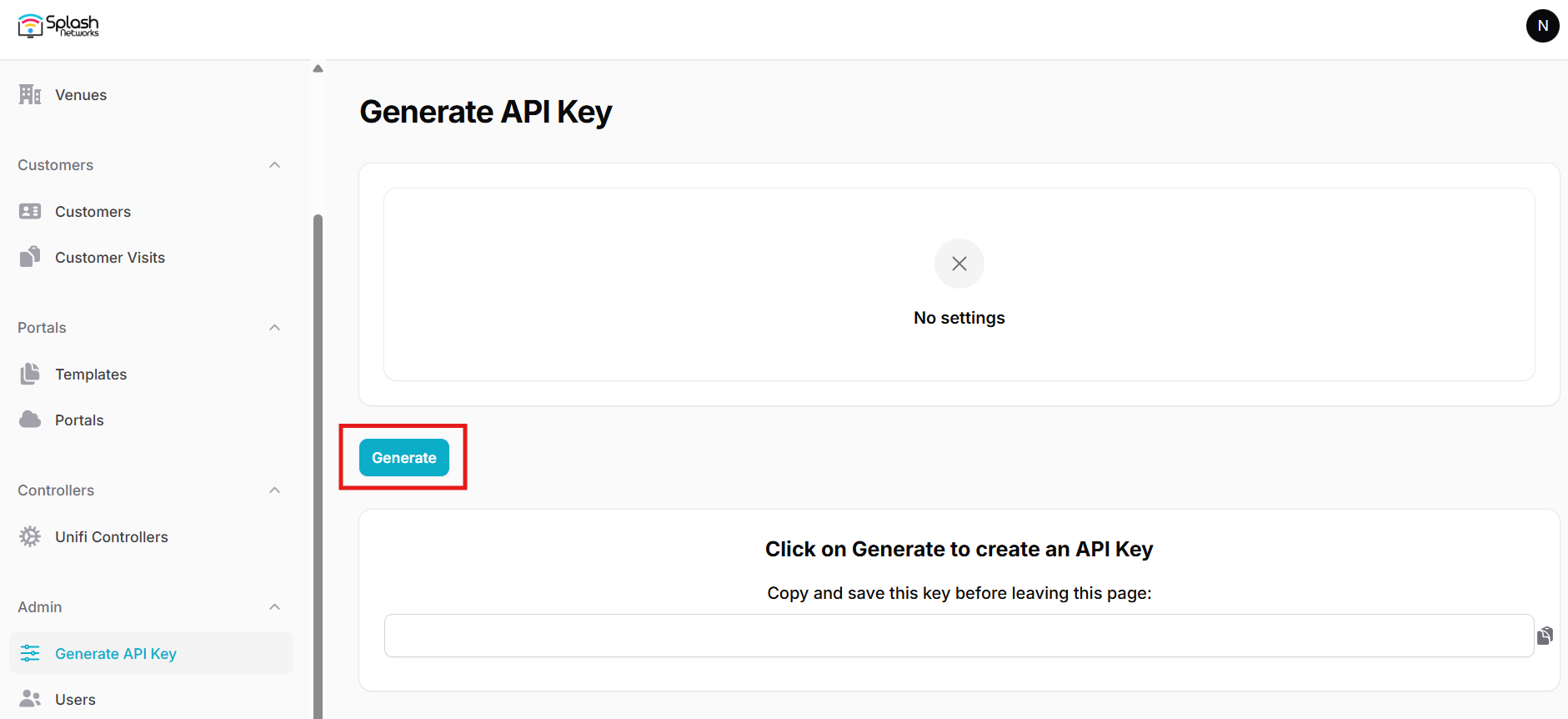
Copy the generated API Key as it will only be displayed once.
You can use the same page to delete an existing key and create a new one if needed.
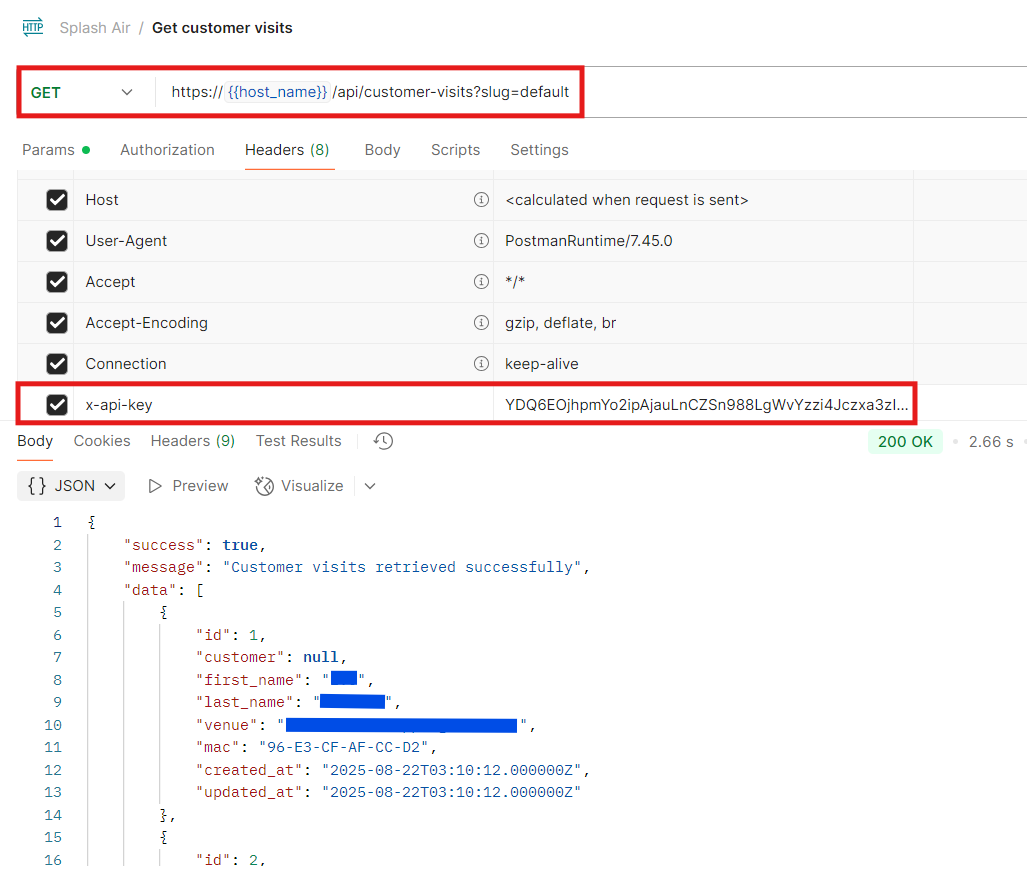
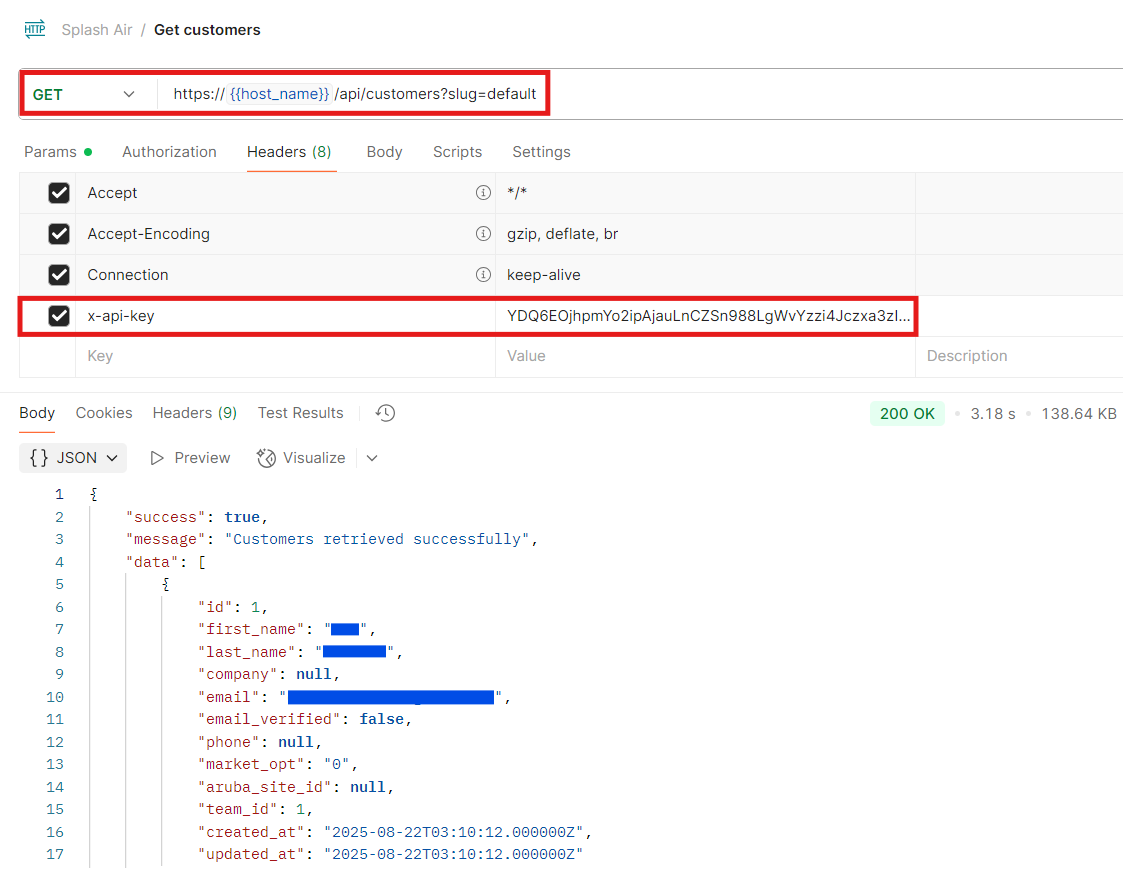
This API key will need to set as the value of the X-API-Key header when making API requests.
The URL for API requests will be:
https://<hostname>/api
This will be followed by the specific endpoint that you're querying.
Customers
Customer data can be retrieved using the customers API. If using multi-tenancy replace default with the team identifier.
HTTP Verb: GET
API Endpoint: /customers
Query parameters
| Parameter | Required | Description |
|---|---|---|
| slug | Required | Team ID |
| per_page | Optional | Number of items per page |
| page | Optional | Page number of paginated results |
| start_date | Optional | Show records since this date |
| end_date | Optional | Show records till this date |
Customer Visits
Customer visit data can be retrieved using the customer-visits API. If using multi-tenancy replace default with the team identifier.
HTTP Verb: GET
API Endpoint: /customer-visits
Query parameters
| Parameter | Required | Description |
|---|---|---|
| slug | Required | Team ID |
| per_page | Optional | Number of items per page |
| page | Optional | Page number of paginated results |
| start_date | Optional | Show records since this date |
| end_date | Optional | Show records till this date |