Cradlepoint
To set up a portal for Teltonika first you need to create a template.
Add a Portal
To create a portal go to the Portal tab and click on the New portal button. Enter a name for the portal and specify the business and venue. In Hardware select Coova Chilli. Enter a secret which will be used to secure communication between the router/AP and Splash Air server. Then, enter a Site ID based on which the path of the portal URL will be defined. Protocol should be CHAP.
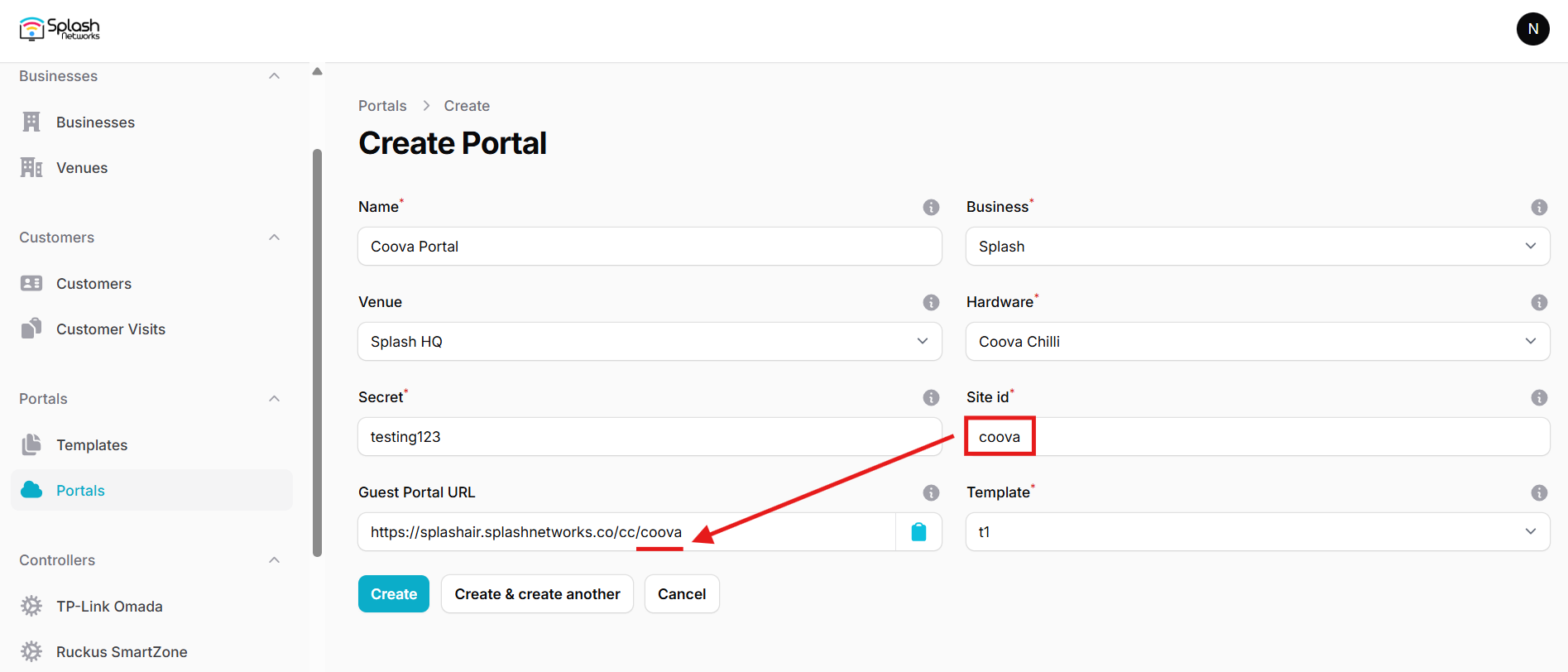
The Guest Portal URL will be created based on the URL of the Splash Air application followed by the path given by Site ID. Note this URL as it will be required later.
Select the template and click on the Create button.
Portal Settings
You can go to Portals to view the settings for the portal(s) just added.
Clicking on a portal takes you to the details for that portal. It lets you specify additional settings:
Business Name: name of the venue which will be displayed on top of the portal
Expiry: the time in days after which a repeat user will have to enter their data again on the portal
Redirect URL: the URL a user is redirected to after successful portal authorization
Duration (seconds) after email verification: when using "Link" type Flow it is the "Session-Timeout" a user will receive via RADIUS after successful email verification
You can click on the Edit button against each entry to modify it if needed.
Cradlepoint Settings
Access your device via Netcloud and go to Configuration > Edit. Then select Networking > Local Networks > Hotspot Services and configure these settings:
- Hotspot Mode:
RADIUS/UAM - Allow Service on cellular modems (3G, 4G, 5G, etc.): checked (if using a SIM)
- Redirect HTTPS Requests: unchecked
In RADIUS Settings enter the IP address and Shared Secret of RADIUS server (will be provided by Splash Networks' team)
- Redirection on Successful Authentication:
To an administrator-defined URL.and enter the Redirect URL below - MAC Authentication: unchecked
In UAM Settings configure these parameters:
- Login URL:
Guest Portal URLnoted above - Shared Secret: the secret created earlier
Save these settings and also Commit them.
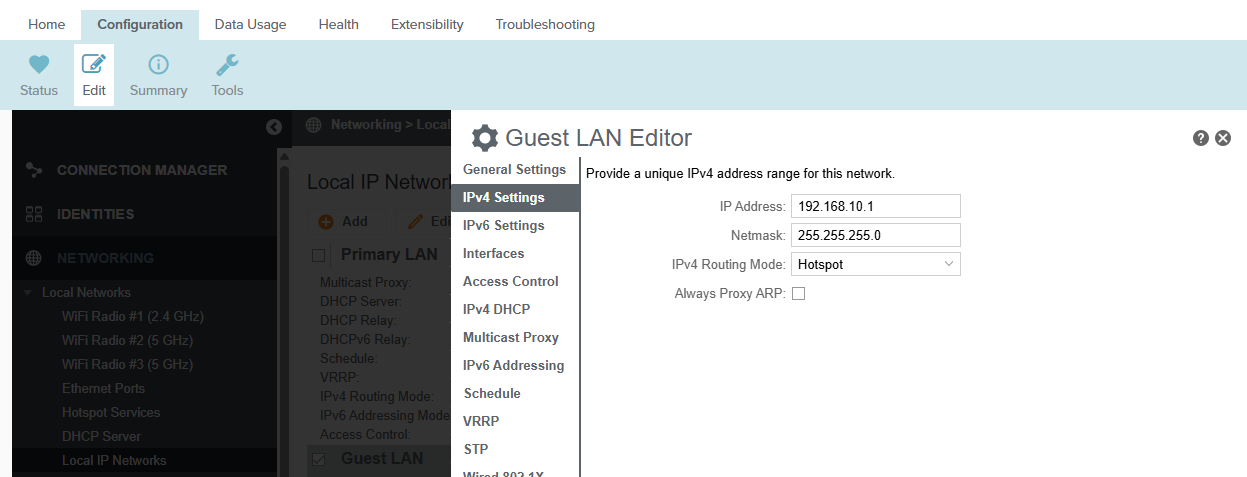
Then go to Local Networks > Local IP Networks. Select Guest LAN and click Edit. In IPv4 Settings set IPv4 Routing Mode to Hotspot. Save and Commit.
Troubleshooting
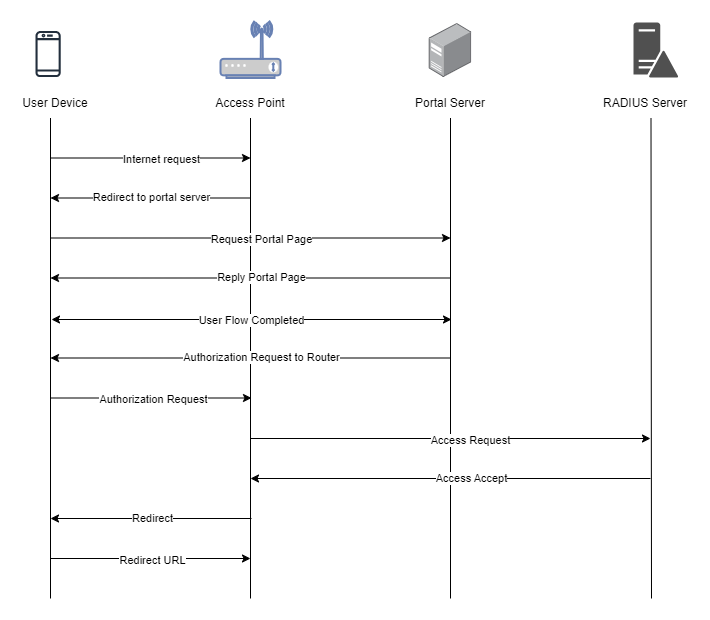
To troubleshoot problems it is important to understand the components involved in the captive portal user authorization process and the interactions between them.
Traffic Flow
Here is the traffic flow in the case of Cradlepoint: